What is the Webhook Publish Integration?
The Webhook Publish integration enables the TapClicks platform to send information from Order or Line items to an external system in real time at any point in the workflow. For example, when an order is submitted, a line item can be sent directly to a fulfillment system. This enhances TapClicks’ ability to integrate with a variety of external solutions.
How to setup your Webhook
1] Log in to TapClicks and, on the Orders menu, click Orders.
2] From the left side menu, under Administration, click Integrations section then click Webhook.
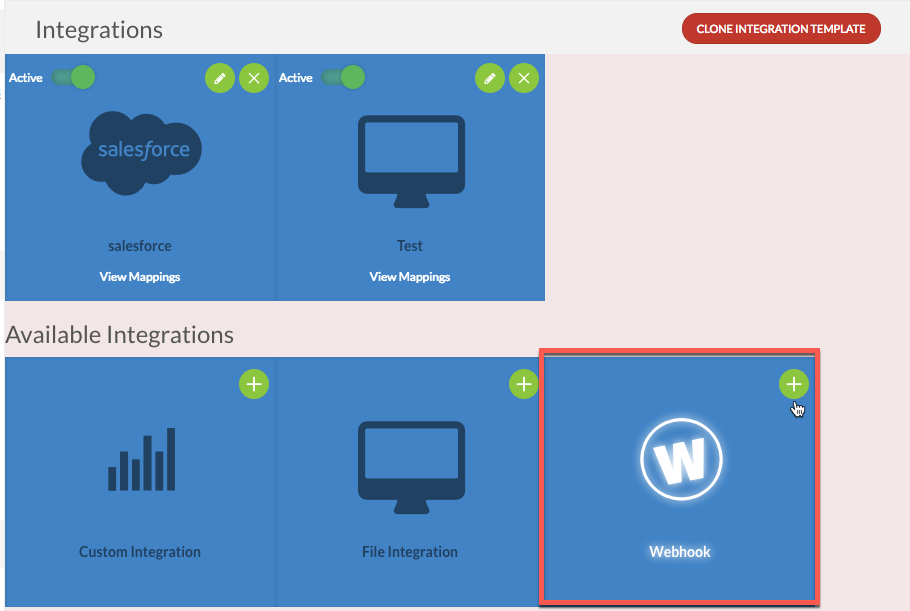
3] Enter a Name for the Webhook.
4] Enter the Target URL for the Webhook.
5] Select the HTTP method for sending data (e.g., POST, PUT).
- Select the event and entity type that will trigger data to be sent to the URL. Supported events include Create, Edit, and Cancel.
- Events on Orders, Line Items, or Clients can be configured to trigger this functionality.
6] Enter the credentials required to authenticate the webhook connection.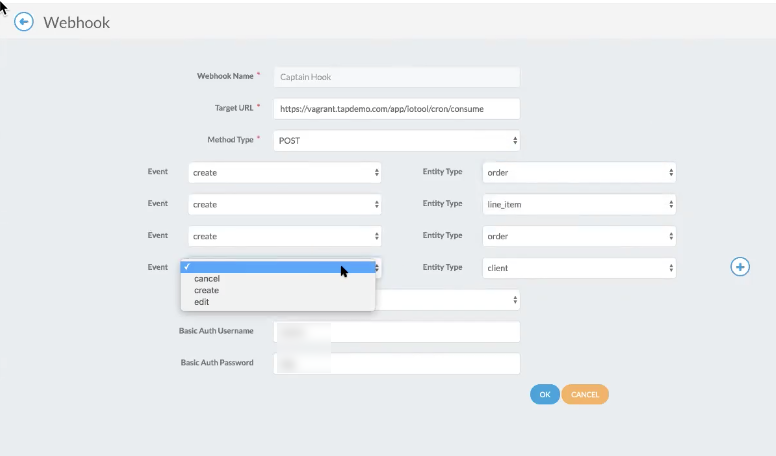
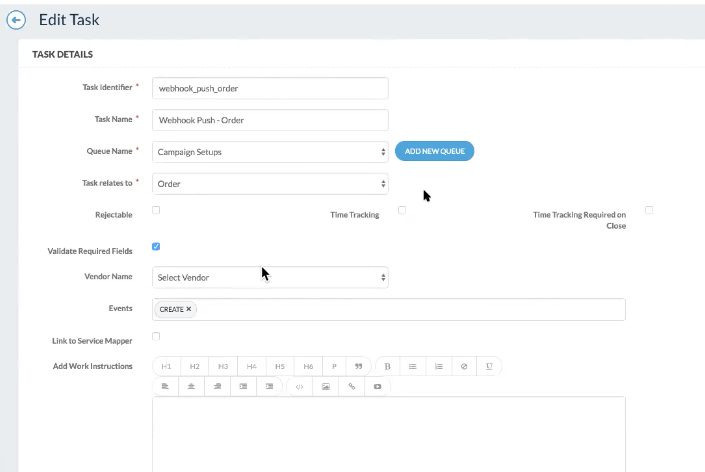
7] Configure tasks to activate the webhook triggers. When these tasks occur in configured workflows, the create, edit, or cancel logic will be sent to the specified URL for external systems to process and respond accordingly.
8] When the event trigger executes, a success or failure message will be posted in the COMMENTS section of the related workflow.
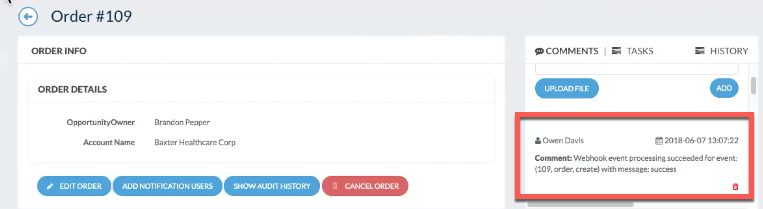
| Note: If an error occurs, users can view the Exception Logs under the Admin tab in IO to identify the issue. |